Know your mark before the exam does.
Karaage turns your syllabus into lessons, a tutor and checks. It marks your written answers against the rubric and shows you what to study next.
Operating Systems › Memory management
Question 3 · Written · 5 marks
Explain thrashing. What causes it, and how can an operating system control it?
Your answer
Thrashing is when a process spends more time paging than executing. It happens when the processes in memory don’t have enough frames, so page faults keep happening. The fix is to add more RAM.
Missing
- Why it spirals: CPU use drops, so the scheduler admits more processes, which causes more faults.
- How the OS controls it: the working-set model, or page-fault frequency limits.
2 / 5
AI estimate| Criterion | Marks |
|---|---|
| Defines thrashing | 1 / 1 |
| Explains the cause | 1 / 1 |
| Explains why it spirals | 0 / 1 |
| How the OS controls it | 0 / 2 |
Unit 4: Memory management
Thrashing · not checked yetRevise · last check 40%
- Paging
- Segmentation
- Page replacement
- ThrashingNext stop
- Memory-mapped files
A sample check. Written answers are marked by AI against the question’s rubric, so the mark is an estimate of what an examiner might give.
From your syllabus to the exam, one stop at a time
Start from your syllabus
Upload the syllabus PDF from your university, or type the units in. Karaage reads the units and topics, you confirm them, and a lesson is written for every topic in the background. Add notes, textbooks and past papers whenever you like: PDF, Word, PowerPoint or scans.
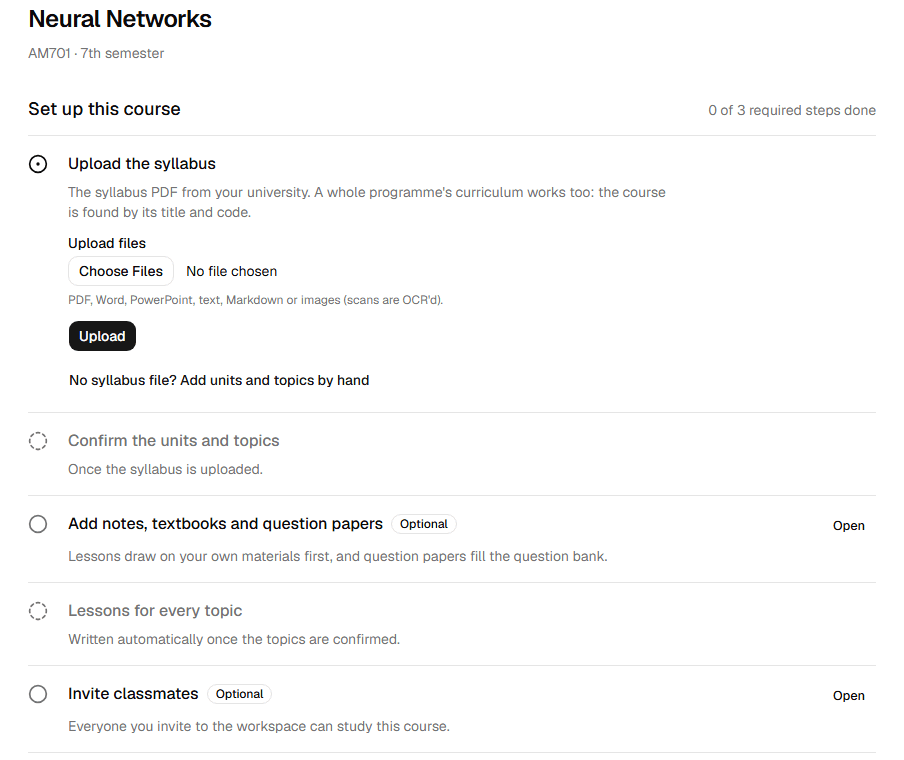
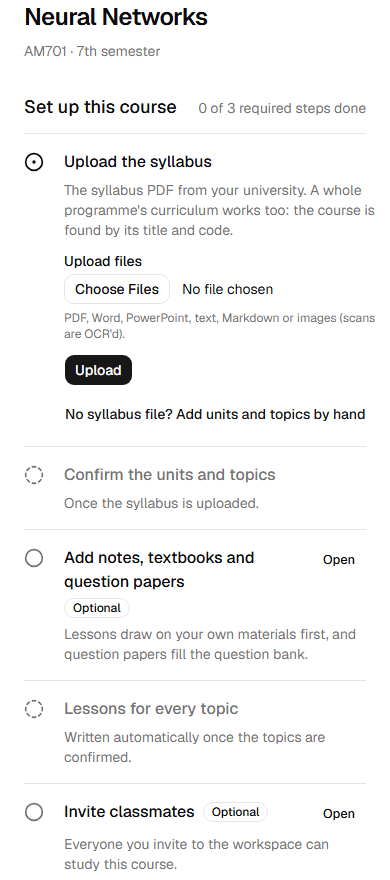
Course setup lists each step in the order it depends on. Lessons that show their sources
Each topic gets a lesson with diagrams, formulas, worked examples, a quick revision and flashcards. Every block says where it came from: your materials, the web, or the AI.
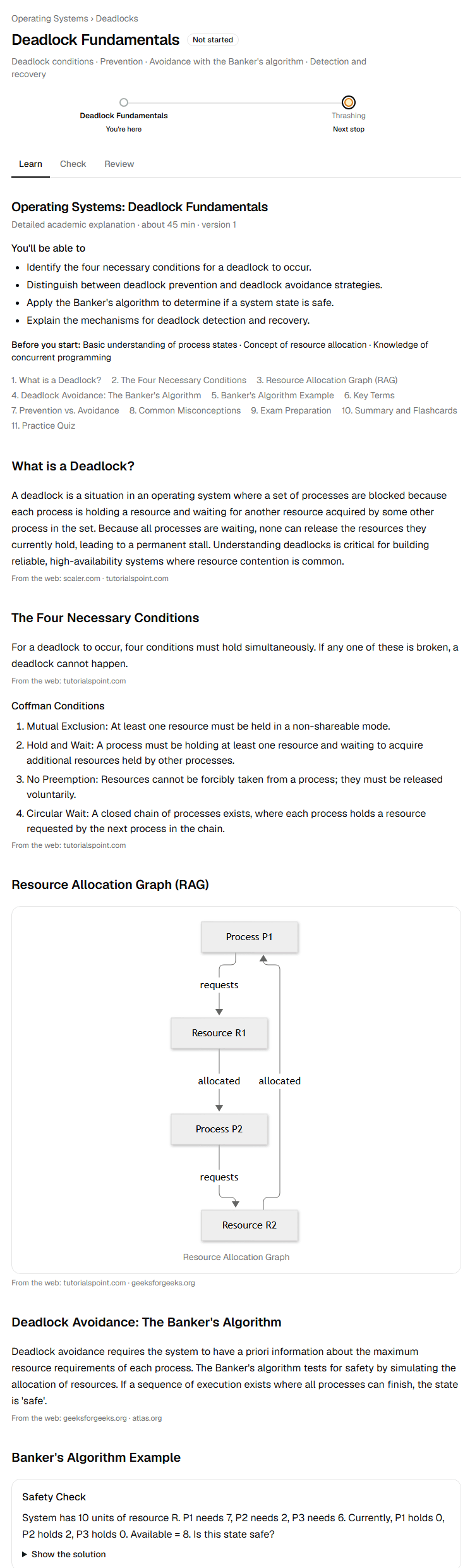

A lesson on deadlocks, with its sources under each block. A tutor beside every topic
Stuck on a step? Ask. The tutor knows the topic and your course materials, answers from your materials first and cites them. Pick how it helps:
Ask the tutor
Sample- You: Why isn’t every cycle in a resource-allocation graph a deadlock?
- Tutor:
A cycle is necessary for deadlock but not always enough. If each resource in the cycle has one instance, the cycle is a deadlock [M1]. If a resource has several instances, a process outside the cycle can release one and break it [M2].
Sources
- [M1] unit-2-deadlocks-notes.pdf, p. 14
- [M2] os-textbook-chapter-7.pdf, pp. 321–322
Mode: Doubt · Direct answers with sources
A sample answer. Each marker points to the file and page it came from. - Doubt
- Direct answers with sources
- Learn
- Step by step, checks your understanding
- Socratic
- Guides you with questions instead of answers
- Exam
- 2-, 5- and 10-mark answers, numericals
- Revision
- Notes, definitions, flashcards
Check yourself, then the next stop
Each topic ends with a check of quick and written questions. You see every answer marked, what you missed and a reference answer. Then the course names one next stop, so you never have to work out what to study.
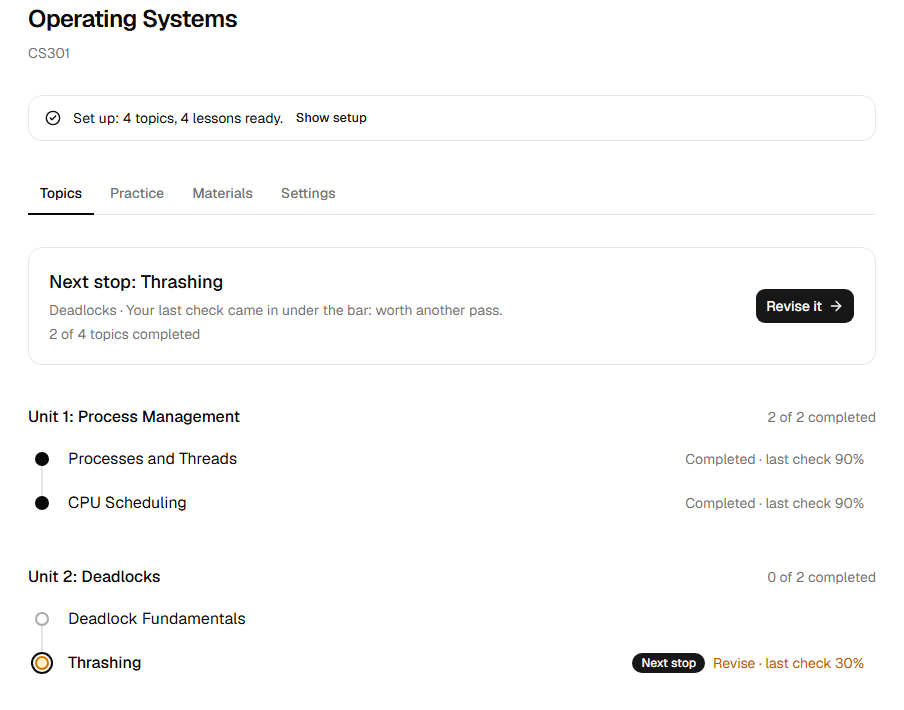
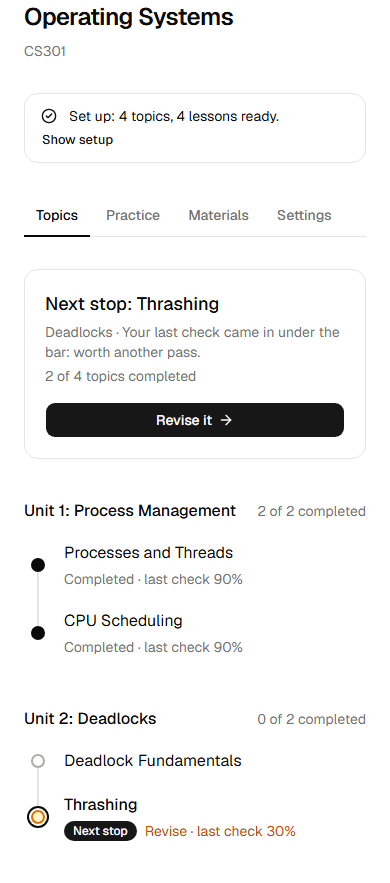
The course home: one next stop, and every topic as a station.
Built for the exam hall, not the chat window
- Past papers become practice
- Upload previous question papers and their questions arrive in a question bank for the course, sorted by topic, for you to approve.
- Answers sized to the marks
- Ask for a 2-, 5- or 10-mark answer and the tutor writes one to fit, numericals included.
- Weak topics first
- Every check updates your progress, so revision starts with the topics you would lose marks on.
Set it up once, study it as a class
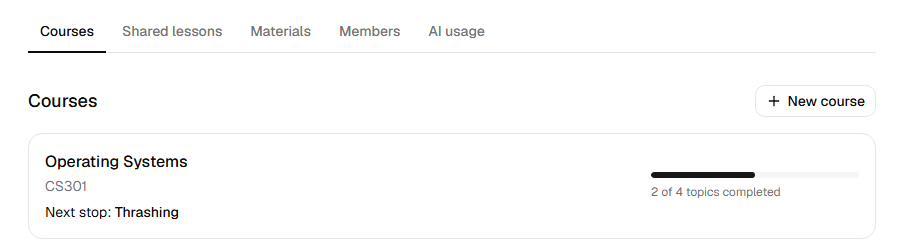
One person sets up the course, and everyone they invite studies it with the same syllabus and lessons. Your tutor chats, checks and progress stay yours alone.
Questions
What is Karaage?
Karaage is an AI tutor for university exams. You upload your syllabus, and it writes a lesson for every topic, answers your doubts from your own notes, and marks your written answers against a rubric so you know what to study next.
Does it work with my university’s syllabus?
Yes. It reads the units and topics from the syllabus document you upload, and you confirm or edit them before any lessons are written. No syllabus file? Type the units and topics in.
Which files can I upload?
Your syllabus, notes, textbooks and previous question papers, as PDF, Word, PowerPoint, text, Markdown or images. Scanned pages are read with OCR. Each file can be up to 4 MB.
Where do the tutor’s answers come from?
From your course materials first, and each answer cites the file and page it used. You can let it search the web too. An answer written from general knowledge says so.
How are written answers marked?
The AI marks each answer against the question’s rubric, shows what you got right and what is missing, and gives a reference answer. Treat the mark as an estimate of what an examiner might give, not an official grade.
Can I study with my classmates?
Yes. Whoever sets up the course can invite classmates to the workspace, and everyone studies the same syllabus and lessons. Your tutor chats, checks and progress stay private to you.